

Create styled variations using an AI image replicator, preserving perfect composition.
AI Image Variations With References
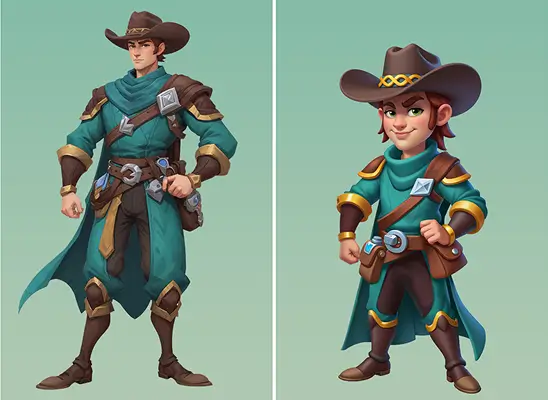
Transform a reference image into multiple stylistic versions that preserve its structure, pose, and proportions with high accuracy.
Why Use AI Image Variations

Use this image duplicator to explore new directions while keeping poses.
Produce aligned variations ensuring every output matches the reference structure.
Recreate artwork using an AI image recreator that preserves the core composition.
How to Use AI Image Variations
- 1
Open Image Variations
Click "Image Variations" from the Holopix AI homepage to access the panel with ready-made style models and variation controls.
- 2
Pick Style Models
Choose from hundreds of ready-made style models and fine-tune their intensity to guide how strongly each style influences your variation.
- 3
Upload Your Reference
Import an image and choose "Default" for strong replication without prompts, or "Compositio" for structure-based outputs that you can modify with text to clone image layout.
- 4
Add a Prompt
Describe your desired result or use "Image to Prompt," choose the final size, and generate a fully styled variation of your reference image.
When to Use AI Image Variations
Style Exploration
Use the Image Variation feature to apply multiple artistic styles to a single reference, producing commercial-ready variations without altering the overall structure.
Consistency Checks
Ideal for creators who need to compare style variations while keeping the character's pose and proportions exactly the same.
Updating Legacy Artwork
Ideal for teams refreshing old assets by applying modern styles while preserving the original composition and layout.
Rapid Concept Variation
Useful for visual teams who want comparable versions of the same concept to decide which direction fits the project's aesthetic.
Start with Pre-built Models
No data available