

Create commercial-ready assets using AI retouch that refines details for studios.
Retouch
Use AI Photo Retouch to refine details, control repaint strength, and upgrade images with free AI photo retouching designed for creative teams.
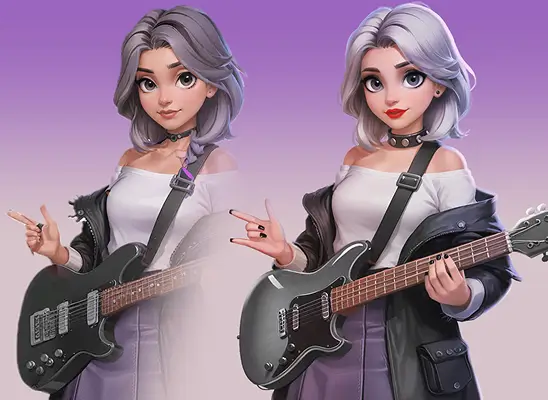
Why Use AI Photo Retouch

Enhance textures and lighting with AI retouch for consistent, professional production.
Support beginners and professionals using AI retouch that improves images effortlessly.
Generate precise variations using AI retouch and repaint strength to polish.
How to Use AI Photo Retouch
- 1
Open Retouch
Go to the Create section in Holopix AI, then choose Retouch to open the interface and begin your AI retouch workflow.
- 2
Choose Style Model
Browse the available scene, character, or prop models and select the one that yields accurate AI image retouch results.
- 3
Upload Image and Adjust
Import your image and adjust the repaint strength, using higher values for stronger AI retouch changes or lower values for subtle adjustments.
- 4
Write Prompt and Generate
Enter a short prompt to guide the AI on the required refinements, then generate a polished result that reflects your selected model.
Who Should Use AI Photo Retouch
Studio-Ready Game Art
Use retouch when you need polished, production-ready assets enhanced through AI Image Retouch for a consistent style.
Quick Fixes by Beginners
Ideal for beginners who want clean visual improvements through AI retouch without learning complex editing tools.
Refining Final Passes
Ideal for artists adding final texture or making detail adjustments with AI image retouching to match studio-quality, commercial-ready results.
Fast Style Variations
Use AI Photo Retouch to create quick style variations by adjusting repaint strength and applying controlled, creative refinements.
Start with Pre-built Models
No data available