

Instantly generate consistent, commercial-use game assets with rapid AI production tools.
AI One-Click Game Asset Generation
Create game-ready assets instantly using our One-Click Generation tool, producing commercial-use visuals with fast turnaround, consistent styling, and studio-grade quality.
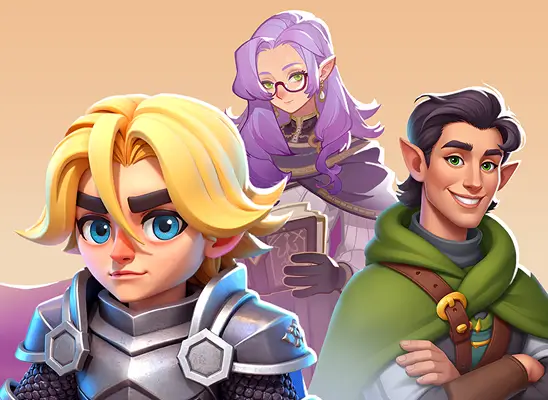
Why Use AI One-Click Generation

Create game characters using controlled text-to-image and image-to-image features, preserving style.
Expand full game worlds using reliable rendering that ensures perfect visual consistency.
Blend multiple style models to produce unique, branded art with uniform results.
How to Use AI One-Click Generation
- 1
Open One-Click Generation
From the Holopix AI home screen, click One-Click Generation to launch the core AI game asset generator workspace.
- 2
Select Style Models
Choose up to three style models from Scenes, Characters, Icons, and Props, or General, then adjust each model's weight for consistent branded visuals.
- 3
Add Your Prompt
Type your own text prompt or select a random AI-suggested prompt to quickly explore new text-to-image concepts.
- 4
Refine and Generate
Use Image to Prompt or upload a reference for image-to-image control, then hit Generate to create commercial-ready assets in one click.
When to Use AI One-Click Generation
Rapid Character Drafts
When you need fast character drafts through an AI image generator, supporting text prompts, and accurate image to image refinement.
Consistent Game Icons
Ideal for designers who want a reliable icon generator that keeps every symbol, item, or power-up visually aligned with their game's style.
Large Asset Expansion
Ideal for teams building large asset libraries who need an AI image generator capable of producing commercial-ready and consistent characters, props, and scenes at scale.
Style-Accurate Updates
Use One-Click Generation when updating old assets, since image to image lets you refresh poses, colors, or details without losing the original artistic identity.
Start with Pre-built Models
No data available